The short answer
GF Blocks is the Elementor alternative I built for my own site: Gutenberg blocks and ready-made sections that work inside the WordPress editor you already have, with no second editor to learn. goodfellastech.com runs on it and scored 98 on mobile PageSpeed Insights in November 2026, and the sites I rebuild on it went from about 10 plugins to 3 or 4.
I build websites for a living, and for years my own was the hardest one to change. This is how goodfellastech.com ended up running on a block plugin I wrote, what that changed, and who I think should use it.
Why I Stopped Fighting My Own Website
My first site ran on the MEAN stack. One simple HTML edit took me thirty minutes, and that was the day I decided I was done with it. I moved the site to WordPress in 2025.
WordPress fixed the editing, but the usual way to build a WordPress site is a page builder like Elementor or Divi. They work, but they make you do everything their way, and every site built with them starts to feel the same. I wanted the speed of ready-made sections without giving up the personal feel of a site built for one business.
Why I Built GF Blocks
In 2026 I was working as a contractor with another agency, and I kept running into the same problem. Their designers did not have a development background, and every quick edit meant someone digging through theme files. They needed a systematic way to make changes themselves, and I was the one comfortable with the code.
So I built one. The first release of GF Blocks (then called GF Builder) went out on 18 August 2026.
Professional insight
Why I built it
I built GF Blocks because I got tired of heavy block builders like Elementor and Divi that made you do everything their way, with no personal feel. Once I started developing it and MCPs came out, I knew this was the right way to go.
What GF Blocks Is
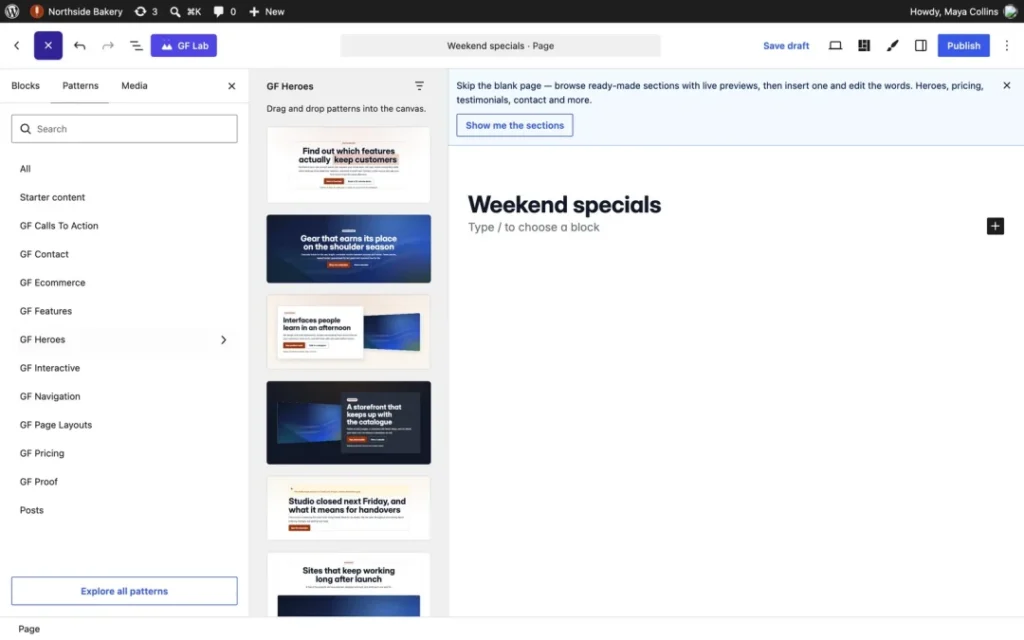
GF Blocks adds blocks and ready-made sections to the WordPress block editor. There is no second editor to learn, pages save as normal WordPress block markup, and clients edit their site in the same editor I build it in.
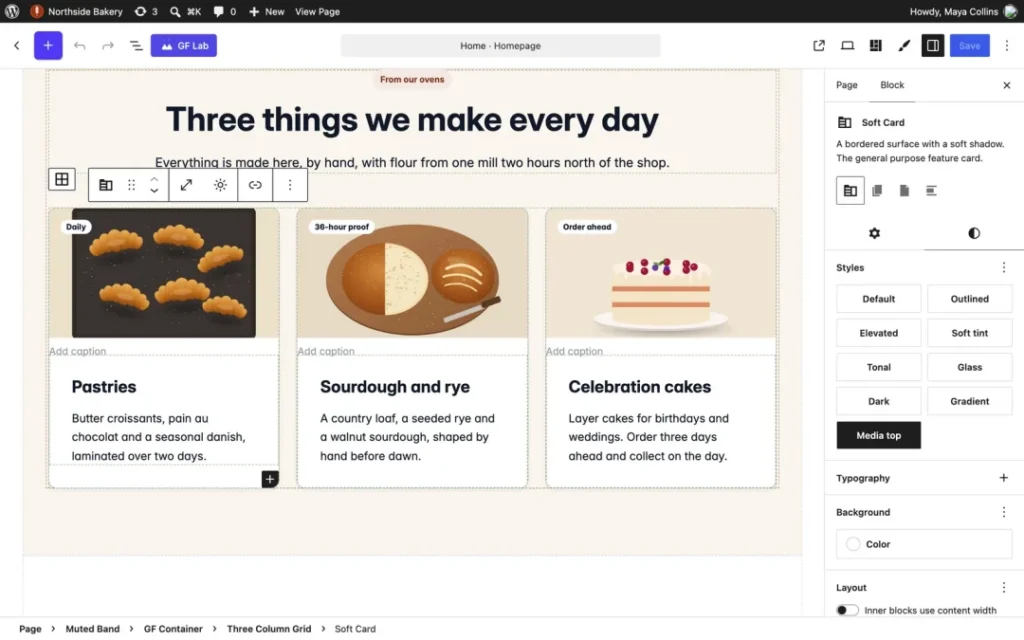
- GF Blocks: 80 blocks and 216 ready-made sections, from feature and proof sections to pricing tables.
- GF Theme: the block theme that comes with it. Headers, footers and templates are edited in the Site Editor, and three style packs restyle the whole site.
- GF Lists: email sign-up forms.
- GF Agents: lets an AI app such as Claude build and edit the site through an MCP connection.
A licence covers the suite, with plans from $99 a year, and a lapsed licence never switches a site off.
How This Site Runs on It
goodfellastech.com is a 50-page service site: location pages, service hubs, free tools and a blog. All of it is built with GF Blocks.
Analytics is built into GF Blocks and GF Theme, so there is no Site Kit. The only plugin I add for speed is WP-Optimize, for compression and minification. I also run Yoast and Link Whisper as working tools for SEO edits and bulk link changes, not because the site depends on them. The site scored 98 on mobile PageSpeed Insights in November 2026.
Fewer Plugins on Client Sites
On average, the sites I rebuilt had about 10 plugins. On GF Blocks they run 3 or 4:
- GF Blocks
- the form plugin the client already uses
- their SEO plugin, usually Yoast
- ACF, only if they want it for custom fields
Every plugin you remove is one less update to manage and one less thing that can conflict with the others. That is most of what I mean by WordPress development with fewer plugins.
Editing the Site With AI
GF Agents is where this gets interesting. This week I used it to add a short teaser section to 26 of my free resources. The AI read each resource, added a section that matched what was inside it, edited the copy to fit, and applied a custom CSS class I wanted for the colour. It was a bulk edit across 26 pages, and I reviewed the result instead of building each section by hand.
What Was Hard
The hardest part was not the blocks. It was closing security gaps and making sure the multisite exceptions worked. The rest was a lot of checking, and building the sections ahead of time so people can put a page together quickly without writing custom code.
Who Should Use It, and Who Should Hire Me
If you have built a site with a block builder before, you can use GF Blocks. Start with the pricing page or look through the showcase first.
If you want your site done faster, or you want interactive sections that keep visitors engaged, have me build it. I know the system and the tricks that get the most out of it. That is our custom WordPress development in Atlanta, or the done-for-you option on the GF Builder site.
What Comes Next
I corrected this site’s search targeting on 18 November 2026, and I am tracking the results from here. I will add them to this post once there are numbers worth reporting.
Frequently asked questions about GF Blocks
What is a good Elementor alternative?
If you want to stay inside the WordPress editor, use a block plugin instead of a separate page builder. GF Blocks adds blocks and ready-made sections to the block editor, so pages save as normal WordPress markup and there is no second editor to learn.
Is GF Blocks a page builder?
Not in the Elementor sense. It adds to the editor WordPress already has, rather than replacing it with its own.
Do I need to know code to use it?
No. If you have used a block builder before, you can build with GF Blocks. Custom code is optional.
What does GF Blocks cost?
Plans start at $99 a year for 3 live sites, and every plan includes GF Blocks, GF Theme and GF Lists. Development and staging sites never count.
What happens if my licence lapses?
Your site keeps working. A lapsed licence never switches a site off; it stops updates until you renew.
Does it work with my current theme?
Yes. With GF Blocks you can keep a classic theme active and show GF pages through it while you move, then switch to GF Theme when you are ready.
Work with us
Want it built for you?
I build on GF Blocks every day. Tell me what the site has to do and you get one written price before anything starts.