The document
Your list is blocking less than you think
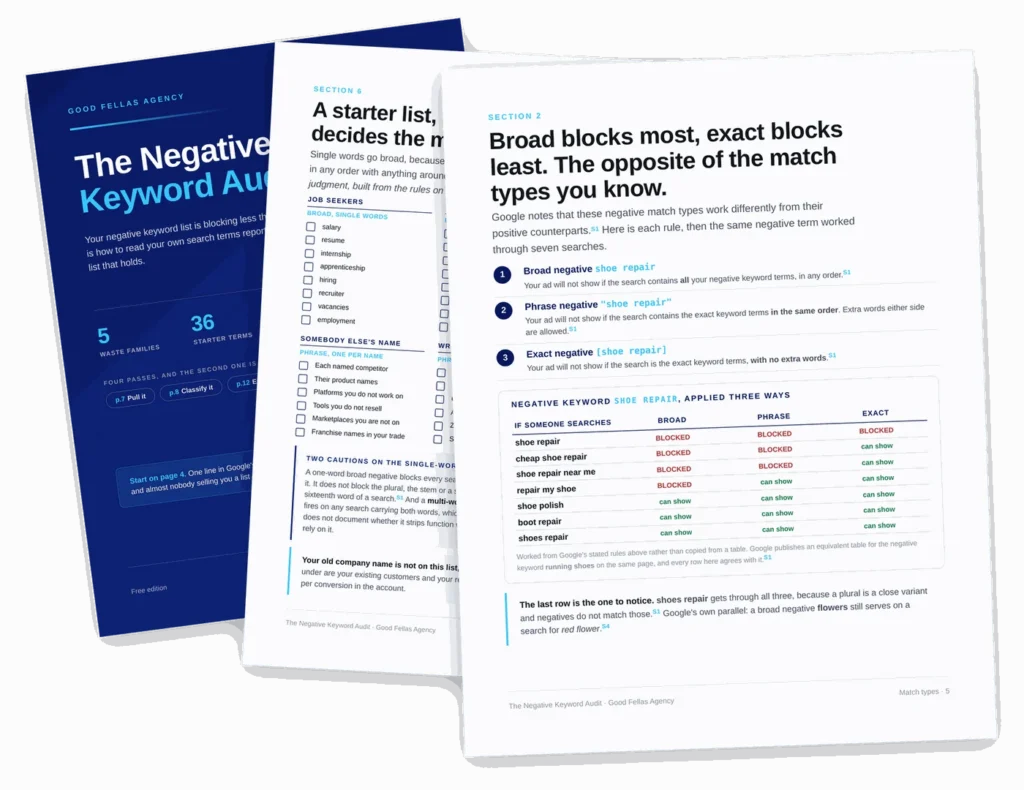
Google’s documentation says negative keywords will not match close variants or other expansions. They handle casing and misspellings, and word order if you used broad. That is the entire list. Plurals, synonyms, stems and accents are all on you, and almost nobody who sells you a list of five hundred terms will mention it.
Nineteen pages, ten Google sources quoted sentence by sentence, and a worksheet for reading your own search terms report rather than downloading somebody else’s list.
What is inside
Ten sections, and the sixth one will save you money today
Every rule about how negative keywords behave carries a reference to the Google page it came from and the date we checked it. Where we have reasoned from a rule rather than quoted it, the page says so. Where Google is silent, the page says that too.
What a negative actually reaches
Three things, with a row-by-row table marking each one as documented, inferred or undocumented. Including the rule that a negative is ignored past the sixteenth word of a search.
The three match types
Broad blocks most, exact blocks least, the opposite of the match types you know. One negative worked through seven searches so you can see it rather than take it on trust.
Where a negative lives
Five levels drawn as a diagram, from manager account down to ad group, with the blast radius of each. There is no ad-level negative, and Performance Max is the exception to most of it.
The default that ruins lists
Add a negative by hand and you get broad. Add the same term from the search terms report and you get exact. Same word, two routes, opposite effect.
Eleven terms that cost you buyers
Every free negative keyword list includes free, job, cheap and refund. Each one is a live buyer search for some business. The page gives the reason for each and a ten-second test.
Two worksheets
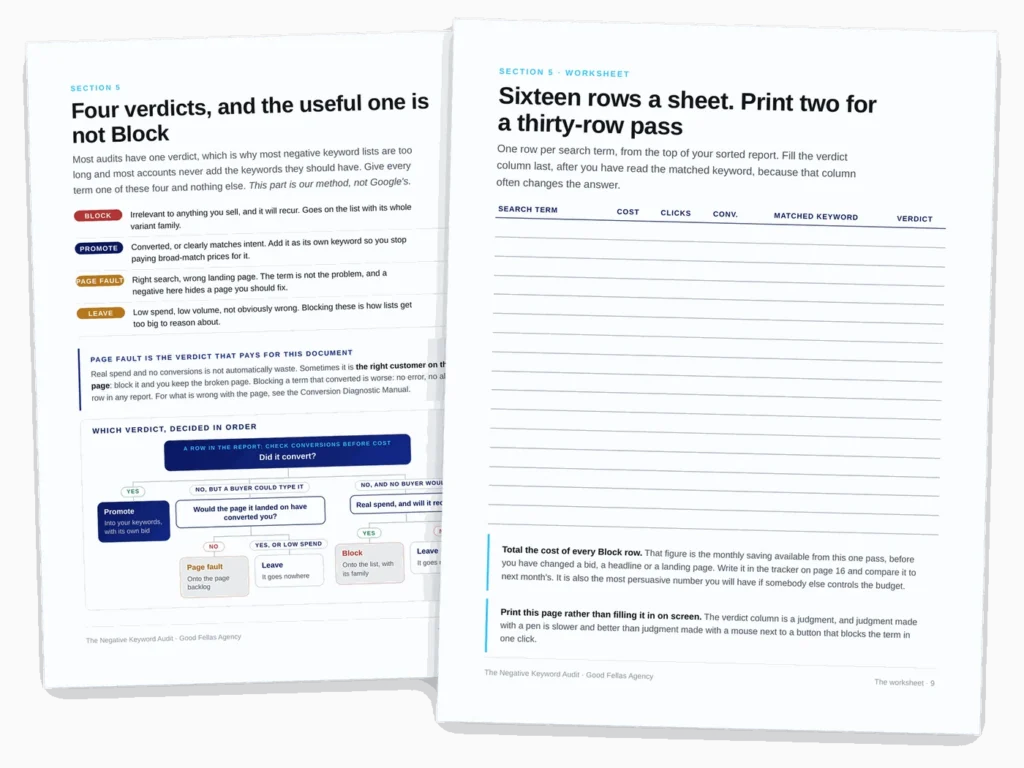
Sixteen rows for classifying search terms against four verdicts, and a ninety-day tracker for blocked spend, cost per conversion and the terms you promoted.
How it works
Four verdicts per term, and the useful one is not Block
Most audits have one verdict, which is why most negative keyword lists are too long and most accounts never add the keywords they should have.
By the numbers
What you are getting
Before you ask
Questions people send us about this one
Is this just another list of negative keywords?
No, and the starter list is deliberately the smallest part of it. The terms wasting your money depend on what you sell and who nearly buys it, so the document teaches you to read your own search terms report. There is a page on the eleven terms those free lists include that will cost you real buyers.
Why does my negative keyword list not seem to be working?
Usually one of three reasons, all covered. Negatives do not match close variants, so your list is missing plurals and synonyms. Negatives added from the search terms report default to exact match, so each blocks a single query. And a negative is not considered past the sixteenth word of a search.
Does any of this apply to Performance Max?
Yes, with differences the document sets out. Account-level negatives reach Performance Max, you can add negatives to one Performance Max campaign or all of them, and they apply to Search and Shopping inventory only. Performance Max has asset groups rather than ad groups, so the usual campaign and ad group picture does not map cleanly.
How do I know your advice is right?
Check it. Every statement about how Google Ads behaves carries a reference to the Google page it came from and the date we read it, and two pages at the back list all ten sources. Where we reasoned from a rule rather than quoted one, the page says so. Where Google documents nothing either way, it says that too.