The worksheet
See what your competitors do before you decide what to change
Most competitor research ends as a list of names. This worksheet asks what each competitor ranks for, charges, promises and advertises, then turns what you find into tasks.
It runs in Excel or Google Sheets, with example rows from an illustrative local roofer to show the format, and dropdowns where answers repeat.
What is inside
Eight tabs that take you from a list of names to a plan
Each tab answers one question about the businesses you compete with, so the comparison sits side by side instead of in your head.
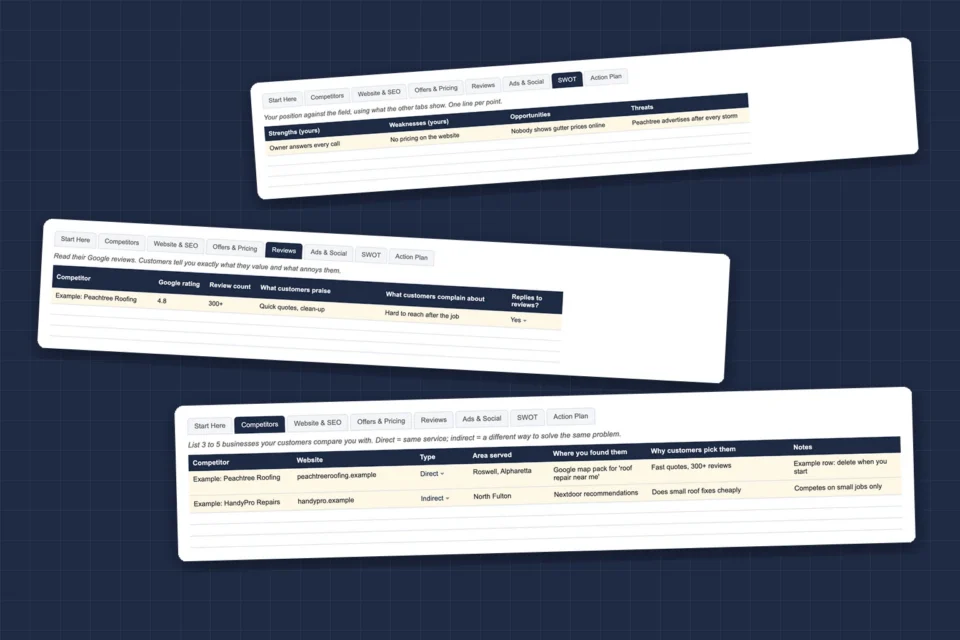
Competitors
Three to five businesses your customers compare you with, direct or indirect, and why customers pick them.
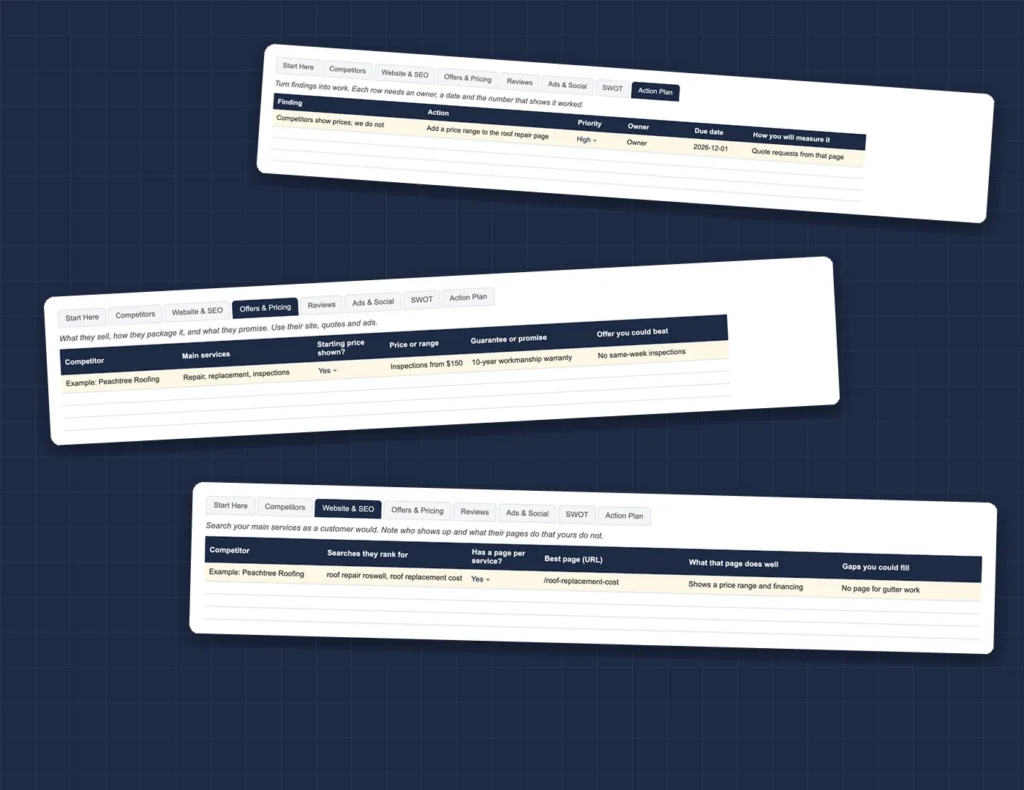
Website & SEO
Which searches they show up for, whether each service has its own page, and the gaps you could fill.
Offers & Pricing
What they sell, whether they show prices, what they promise, and the offer you could beat.
Reviews
Their rating, what customers praise and complain about, and whether they reply. It tells you what to promise.
Ads & Social
The ads they are running now, from the Meta Ad Library and Google Ads Transparency Center, and how often they post.
SWOT and Action Plan
Your position against the field, then each finding turned into a task with an owner, a date and a measure.

How it works
Four steps, about an hour per competitor
The worksheet follows the same five-step process as our competitor analysis guide, built for a business owner doing it in an afternoon.
By the numbers
What you are getting
Before you ask
Questions people send us about this one
Does it work in Google Sheets?
Yes. Upload the file to Google Drive and open it with Google Sheets. The tabs, dropdowns and example rows carry over.
How many competitors should I include?
Three to five. Fewer misses the field; more turns into research that never becomes action.
Do I need paid SEO tools?
No. Google Search, Maps reviews, the Meta Ad Library and the Google Ads Transparency Center cover most of what a local business needs.
How often should I redo it?
Twice a year, and whenever a new competitor shows up in your map pack.