The short answer
To automate email marketing for a small business, use software that sends emails when something happens, such as a new subscriber, a purchase or a sent quote. Start with a few sequences: a welcome series, lead nurture, a post-purchase thank-you, a quote follow-up and re-engagement. Tools such as Mailchimp, MailerLite, ActiveCampaign and ConvertKit can run them.
Why Small Businesses Need Email Automation to Compete
Email marketing is still one of the most effective ways to generate leads, nurture relationships, and drive sales. But let’s be honest—doing it manually is time-consuming and inconsistent. That’s why more business owners are choosing to automate email marketing and free themselves from repetitive sending and forgotten follow-ups.
Whether you’re just starting to build your list or already have hundreds of contacts, the right automation system can help you stay consistent, personalized, and efficient.
What Does It Mean to Automate Email Marketing for a Small Business?
Email automation is the process of using software to send emails based on specific triggers—like a new subscriber, a product purchase, or a form submission. Instead of sending one-time blasts, you build smart sequences that run on autopilot.
Here’s what that might look like:
- A new lead signs up → receives a welcome series
- A customer buys a product → gets a thank-you email + review request
- A quote is sent → system sends a follow-up email after 3 days
If you’re not doing this yet, it’s time to implement a smarter system. Our email automation service for small business helps you do exactly that—without needing to learn complicated tools.
Professional insight
An appraiser's email follow-up had been happening whenever he thought of it, which was not often enough to count on.
Must-Have Email Sequences for Small Business Growth
You don’t need to send dozens of emails every week. Instead, automate a few powerful sequences that work behind the scenes to engage and convert leads:
1. Welcome Series
Trigger: New subscriber or lead
Purpose: Make a strong first impression, introduce your brand, and offer helpful resources
2. Lead Nurture Sequence
Trigger: Contact shows interest but hasn’t converted
Purpose: Educate and build trust over 3–5 automated emails
3. Post-Purchase or Thank-You Flow
Trigger: Customer completes a purchase or books a service
Purpose: Reinforce trust, ask for feedback, or introduce the next offer
4. Follow-Up After a Quote or Proposal
Trigger: You’ve sent a quote but haven’t heard back
Purpose: Remind them you’re available and answer objections
5. Re-engagement Campaign
Trigger: Contact hasn’t opened emails in 30+ days
Purpose: Reignite interest and filter out inactive subscribers
If you’re missing even one of these, a strategic email automation system can help you plug the gap and capture more sales.
6. Abandoned Cart Reminders
Roughly 70% of shoppers abandon their carts. An automated follow-up reminding them of what they left behind can recover those sales. A strong abandoned cart email includes:
- Urgency messaging: Use language like “Your cart is about to expire” or “Popular items are selling fast.”
- A small incentive: Try a time-sensitive discount or free shipping to sweeten the deal.
- Product visuals and links: Display the exact products left behind and make it easy to return to checkout with one click.
The Best Tools to Automate Email Marketing for Small Business
You don’t need an enterprise-level platform. The best tools for small business email automation are affordable, user-friendly, and powerful:
- Mailchimp – Great for beginners, with drag-and-drop workflows
- MailerLite – Excellent free option with simple automation logic
- ActiveCampaign – Ideal if you want CRM and automation combined
- ConvertKit – A favorite for creators and small service providers
Each of these tools lets you:
- Tag and segment your audience
- Build visual workflows
- Send emails automatically based on behavior
The trick is knowing what to send, when to send it, and how to optimize results. That’s where having a strategy makes all the difference.
5 Tips to Write Better Automated Emails (That Actually Convert)
When you automate your email marketing, you’re not just saving time — you’re creating repeatable moments of connection. But automation only works when the content feels personal and intentional. Here’s how to write better automated emails for small business success:
1. Write Like a Human, Not a Template
Even if you’re sending 1,000 emails, it should feel like it’s just for one person. Automation doesn’t mean robotic. Use first names with merge tags (like Hi {{FirstName}}) and avoid corporate-speak.
✅ Instead of:
“You are receiving this email as part of your subscription.”
✅ Try:
“Hey Sarah — just wanted to check in since you downloaded our checklist last week.”
Pro Tip: Read your email out loud. If it doesn’t sound like something you’d say in conversation, rewrite it.
2. Keep Each Email Focused on One Goal
The biggest mistake in email marketing is trying to do too much at once. Every automated email should serve one purpose — whether it’s delivering a freebie, driving a reply, booking a call, or nudging toward a purchase.
Why it matters: Multiple CTAs or competing topics confuse readers and dilute your message.
✅ Good:
“Here’s your free download. When you’re ready, book a call and let’s talk through your next steps.”
🚫 Not as good:
Free resource
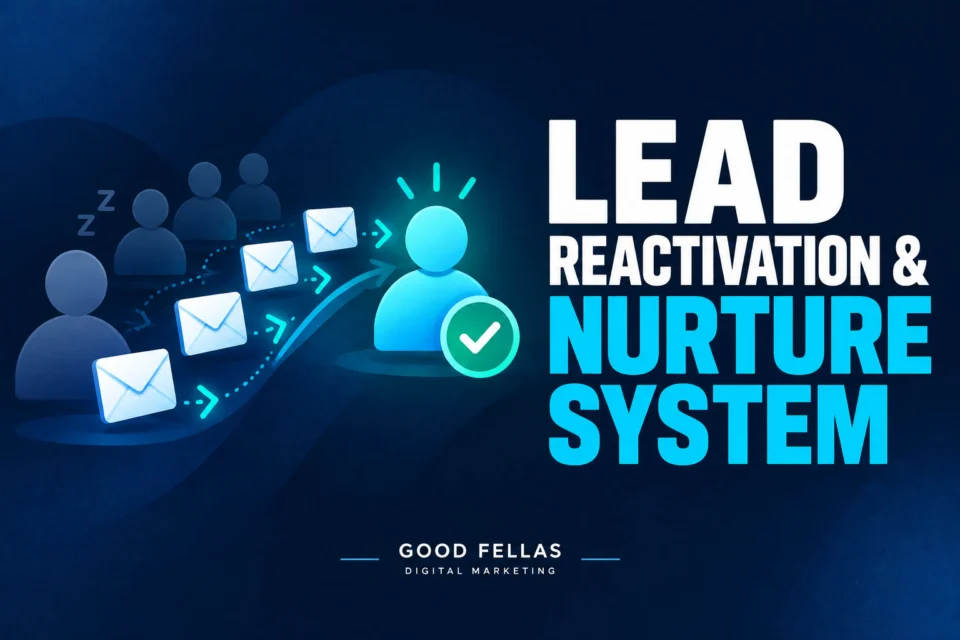
The Lead Reactivation & Nurture System
The cheapest leads you will ever get are the ones who already enquired and never heard back. This is the sequence that reopens them.
“Thanks for signing up! Don’t forget to follow us on social media, buy our course, and check out our latest blog too!”
Keep it clear. Keep it actionable.
3. Include a Clear CTA in Every Email
If your reader doesn’t know what to do next, your email failed. A clear call-to-action (CTA) tells them exactly where to click or how to respond.
Some CTAs that work well:
- “Reply and tell me your biggest challenge”
- “Click here to book your free consultation”
- “Download the guide here”
One CTA per email is best, especially in automated sequences. And always place it where it’s easy to see — near the end of the message and again as a button if your tool allows.
4. Add Value, Not Noise
People don’t sign up for your emails just to hear you talk about yourself. The best automated email sequences deliver value in the form of:
- Quick tips
- Insider advice
- Free tools or links
- Answers to questions they didn’t know to ask
Every email should solve a small problem, ease a doubt, or build trust.
✅ Example:
“Struggling to know what to post on social media? Here’s a 5-day prompt calendar you can steal.”
If your email doesn’t help or engage, it’s noise—and people will unsubscribe. Automation should feel like help, not a hassle.
5. Test and Improve Over Time
Here’s the truth: your first email sequence won’t be perfect. And that’s okay. The best email marketers look at the data and adjust.
Key metrics to monitor:
- Open rate: Is your subject line effective?
- Click rate: Are readers engaging with your CTA?
- Unsubscribes: Are you sending too often or missing the mark?
Try A/B testing subject lines, button placement, and even email length. Over time, this improves your sequence performance significantly — and helps you build a list that converts.
When we set up automated email marketing systems for small businesses, we always start with the customer journey, not the software. Then we craft emails that feel personal, deliver value, and keep your business top of mind — without the burnout.
➡️ Ready to upgrade your email strategy? Let’s build your automated system together.
Mistakes to Avoid with Email Automation
Even powerful tools like automation can backfire if used the wrong way. From annoying your list to losing potential sales, these common email automation mistakes can stall your success. Here’s what to avoid—and what to do instead to keep your campaigns working like a well-oiled machine.
Over-Automating
Too many automated emails can make your brand feel robotic or intrusive. Subscribers might tune out—or worse, unsubscribe. Instead of setting dozens of triggers, focus on a few essential flows that feel human and intentional. Start with welcome emails and cart recovery, then expand based on user behavior.
Not Testing Sequences
Launching a sequence without testing is like flying blind. Broken links, typos, or emails that arrive out of order erode trust fast. Always preview your emails, test different paths, and simulate real user interactions to ensure everything runs smoothly. A simple test phase can catch errors that might otherwise cost you conversions.
Ignoring Data
Automation isn’t set-and-forget. Skipping your analytics means missing out on opportunities to improve. Low open rates? Try a new subject line. High unsubscribes? Rethink your timing or content. Regularly review performance reports to fine-tune every flow and make your emails more relevant and effective.
Forgetting to Update Content
That “Welcome to 2023” message in mid-2025? It’s a credibility killer. Stale content can make your business look out of touch and harm your reputation. Schedule quarterly reviews of your automation content to refresh outdated offers, update branding, and reflect the latest changes in your business or market.
When to Call in Help: Get Your Time (and Sanity) Back
Setting up automations the right way can take time and strategy. Many business owners start out with good intentions… then abandon their email platform entirely. If that sounds familiar, it might be time to get expert help.
At The Good Fellas Agency, we help small businesses design and launch complete email automation strategies that:
- Nurture leads without overwhelming you
- Fit your tone, services, and audience
- Convert more people with less manual work
Our goal is simple: automate your email marketing so you can focus on running your business.
📬 Want to see what we’d build for you? Check out our email automation services and let’s create a smarter system together.
Final Thoughts: Start Automating, Stop Chasing
You don’t need to send more emails. You need to send the right emails—at the right time—automatically. With a few simple sequences and the right tech, email marketing automation for small business can help you convert more leads while doing less work.
💡 Want to find out what sequences you’re missing? Schedule a free consult today and let’s build your first automated campaign.
Frequently asked questions about Email Automation
What’s the difference between automation and regular email marketing?
Regular email marketing involves sending one-off campaigns manually. Email automation delivers targeted messages based on subscriber behavior—at the right time, without manual work.
How much does email automation cost?
Many platforms offer free plans for up to 500–1,000 contacts. Advanced features like segmentation or A/B testing are available on paid tiers, starting around $10–$30/month.
Can automation work for service-based businesses?
Absolutely. Automation can send appointment reminders, onboarding sequences, follow-up requests, and nurture leads from inquiry to booking.
Do I need to write all the emails up front?
Not necessarily. Start with one or two sequences—like a welcome series—and build from there. You can always add or adjust based on performance.
How do I know if my automations are working?
Monitor key metrics like open rates, click-through rates, and conversion rates. These indicators will show you which sequences are performing and where to make improvements.